Hover to open
Point at the island and it opens up to show what's playing, or the time and date.
A live island for your desktop.Music, your calendar, quick controls, PC stats and more open out of one small pill at the top of your screen, then tuck away when you're done.
Your PC never had a notch. Now it has something better: a small, live island that shows what's playing, what's next and what just arrived.
Notchzy sits right where a notch would be. It stays small until something needs you.
Three moves are all it takes. No settings to dig through, no windows to juggle.
Point at the island and it opens up to show what's playing, or the time and date.
Skip a song, start a focus timer, flip Wi-Fi or check your next meeting, right in the island.
Move away and it shrinks back into a pill. Your windows stay exactly where they were.
Always in the same spot at the top of your screen, so you never have to go looking for it.
Hover to open it, or let a new notification, a finished timer or your charger wake it. It shrinks back on its own.
When a browser sits under the island, it shrinks to a thin bar so it never covers your tabs. Hover and it opens as usual.
No Mac, no iPhone. Just the island, running quietly on the PC you already use.
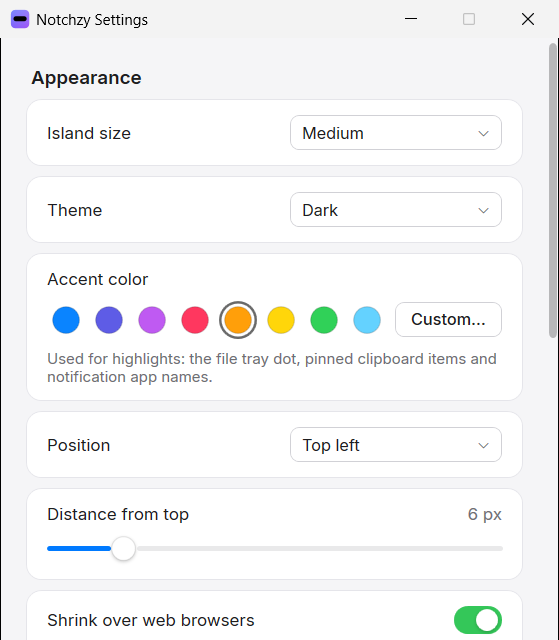
Notchzy 1.7 gives the island a Mac-like finish: crisp San Francisco-style type, Control Center switches, an iPhone-style volume slider and buttons that give a little when you press them. These are real screenshots.
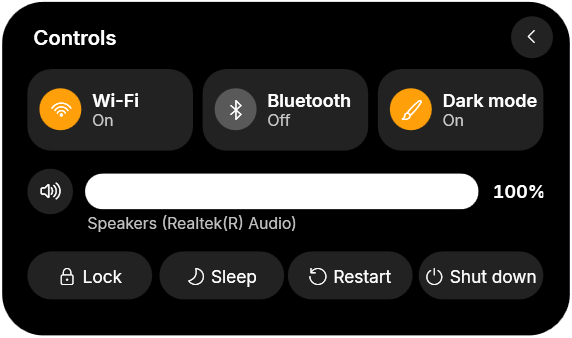
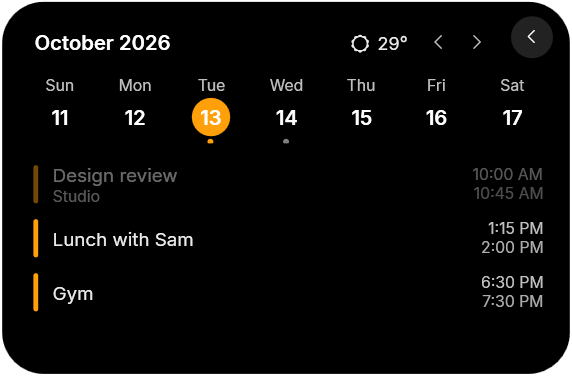
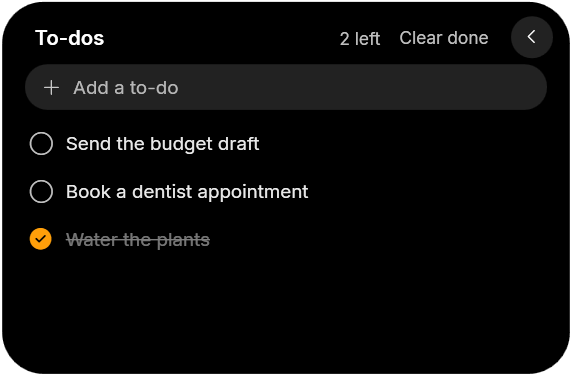
Hover the island and tap a button. Each view opens in the same small card, then tucks away when you're done.
Cover, song progress you can drag to seek, shuffle and repeat. Works with Spotify, your browser and more.
Your week at a glance, today's events and the next one under the clock, plus the weather for your city.
Wi-Fi, Bluetooth, dark mode and volume, plus lock, sleep, restart and shut down. No trip to the taskbar.
CPU, GPU and RAM rings, the apps using the most memory, network, disk space and a built-in speed test.
Texts, links and images you copied, with search and filters. Pin the ones you reuse. Passwords are skipped.
A quick checklist that's always one hover away. Tick things off and they drop to the bottom.
15, 25 or 45 minutes, or your own. The countdown ring stays on the pill, with optional Pomodoro breaks.
Every app from your Start menu in one grid. Type a few letters and press Enter to open it.
Browse your wallpaper folder as previews and click one to set it. Or let Notchzy pick a random one.
New Windows notifications drop out of the island, then step aside on their own.
Drop files on the island to park them, then drag them out wherever you need them later.
For coders: see Claude's tasks tick by on the pill, and get a nudge when it's done or needs you.
Notchzy is a Dynamic Island for Windows. A small pill sits at the top of your screen and opens up to show what's playing, your calendar and weather, quick controls, PC stats, clipboard history, to-dos, a focus timer or new notifications, then shrinks back when you're done.
Yes. Notchzy adds a MacBook-style notch to Windows 10 and 11. It sits at the top center of your screen like the notch on a Mac, but it does more: it opens up to show your music, a timer, notifications and your charging status.
Yes, Notchzy. Apple's Dynamic Island is only on iPhone, but Notchzy brings the same idea to Windows PCs and laptops: a pill that grows when something happens and shrinks back when it's done.
Yes. Notchzy runs on Windows 11 and on Windows 10 version 2004 or newer.
Spotify, music and video in your browser, and any player that shows up in Windows' own media controls. You can pause, skip and go back right from the island.
No. Notchzy hides itself completely while a game, video or other app is full screen, and never steals focus or shows up in Alt-Tab.
No. Notchzy has no ads, analytics or tracking, and your music, notifications, clipboard and to-dos never leave your computer. It only goes online for things you turn on, like the weather or your calendar.
Notchzy is free to try for 3 days, with every feature unlocked and no card needed. After that it's a one-time $9.99, with no subscription, on up to 2 PCs. You pay securely through Dodo Payments and future updates are included.
Windows 10 and 11 · Every feature free for 3 days, no card needed · Then $9.99 once for 2 PCs, updates included · Secure checkout by Dodo Payments
$0 for 3 days
$9.99 once