Notchzy vs Island
Island is a free Dynamic Island for Windows with a Pro upgrade. Notchzy includes everything for one price. Here's the difference.
We make Notchzy, so we're not neutral, but we've tried to be fair. Details about other apps were checked in November 2026 and can change: check each app's own page before you install it.
The short answer
Pick Island if you want a free starting point, screenshots with markup, a command bar and AI chat (with your own API key).
Pick Notchzy if you want a clean Apple-style island where music, focus timer, calendar, weather, to-dos, clipboard, files and PC stats are all included from day one.
| Notchzy | Island | |
|---|---|---|
| Price | $9.99 once, for 2 PCs, everything included | Free core, Pro $4.99 once |
| Where to get it | notchzy.com | islandapp.pro / GitHub |
| Windows | 10 (2004+) and 11 | 10 and 11, 64-bit |
| Clipboard history and file tray | Yes | Yes |
| Timer | Focus timer with Pomodoro | Timer and reminders |
| Weather | Included | Pro |
| Calendar with events, to-dos | Yes | Notes and reminders |
| PC stats with speed test | Yes | Not listed |
| Copy text from screen | Included | Pro |
| Synced lyrics | Yes | Not listed |
| Per-app volume, output switching | Yes | Not listed |
| Screenshots with markup, command bar, AI chat | No | Yes (AI needs your own key) |
| Claude Code progress | Included | Pro |
| Design | Apple-style pill, Inter font, accent colors | Liquid pill with characters |
Where Island is ahead
Island has a free tier, a cheaper Pro upgrade, and tools Notchzy doesn't have: screenshots with markup, a command bar on Alt+Space, voice to text and AI chat if you bring your own key. It also has playful characters for the island.
Where Notchzy is ahead
Notchzy keeps things simple and Apple-like: no tiers, no characters, no keys to set up. You get music with full controls, a Pomodoro focus timer, a week calendar with weather, to-dos, clipboard history, a file tray, quick controls and live PC stats, and it shrinks to a slim bar over your browser tabs.
Everything in Notchzy
- Music controls for Spotify, browser audio and video, and any player in Windows' media controls: cover art, play/pause, skip, seek, shuffle and repeat.
- Synced lyrics that follow the song, karaoke-style. Click a line to jump there.
- Copy text from screen: snip any part of the screen and its words are copied, read offline on your PC.
- Microphone and camera dot: orange or green on the pill while an app uses them, like on iPhone.
- Sound: switch between speakers and headphones, and set each app's own volume.
- Focus timer with Pomodoro breaks and a countdown ring in the pill.
- Notifications from Windows pop into the island.
- Clipboard history with texts, links and images, search and pins.
- File tray: drop files on the island, drag them out later.
- Calendar and weather: a week strip, today's events and your city's weather.
- Quick controls: Wi-Fi, Bluetooth, dark mode, volume, lock, sleep, restart, shut down.
- PC stats: CPU, GPU and RAM rings, top apps by memory, network, disk and a speed test.
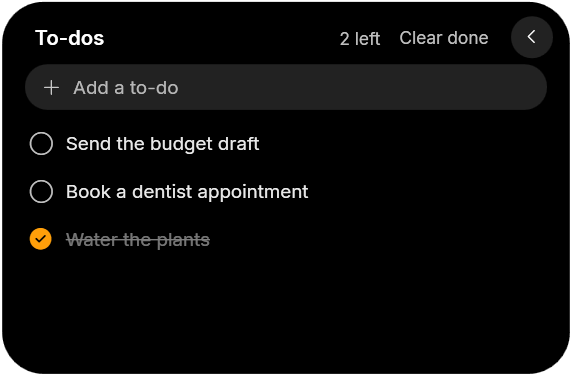
- To-dos, app launcher and wallpaper picker, one hover away.
- Charging animation when you plug in or unplug a laptop.
- Stays out of the way: hides in full-screen games and videos, shrinks to a slim bar over browser tabs.
Island is a trademark of its owner. Notchzy isn't affiliated with or endorsed by them.
Windows 10 and 11 · One-time, for 2 PCs · 14-day refund
Questions
Is Island free?
Island has a free core with a one-time Pro upgrade. Notchzy is $9.99 once with every feature included and a 14-day refund.
Does Notchzy need an API key or account?
No. Notchzy works right after install. You only enter the license key you get when you buy it.
Can Notchzy show weather?
Yes. Notchzy shows the weather for your city next to a week calendar and today's events.